Appliance Configuration via CLI
The XLServer Appliance provides a built-in Command Line Interface (CLI) for administrative configuration and maintenance.
All operations are performed by connecting to the appliance via SSH using the sysman user.
Accessing the CLI
- Connect to the XLServer appliance with SSH: ssh sysman@<xlserver-host>

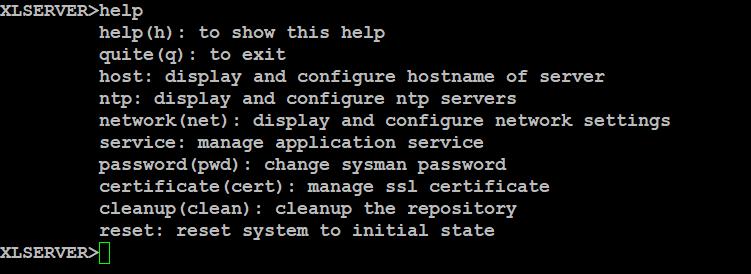
- Once connected, you can enter
help(orh) to view the main menu:
- To exit the CLI, type:
quit
or simply q.
Available CLI Menus
- host → Configure hostname
- ntp → Configure NTP (time synchronization)
- network → Configure network interfaces (management, backup, client)
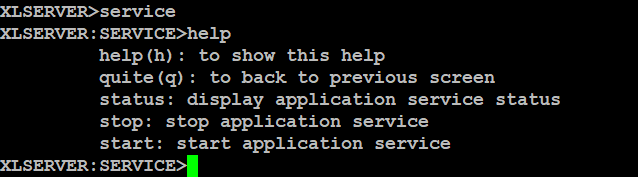
- service → Start/stop/view status of the XLServer service
- password → Change the
sysmanpassword - certificate → View or regenerate self-signed SSL certificate
- cleanup → Clean orphan objects from repository
- reset → Reset the appliance to initial state
Configure the Hostname
- Enter the
hostmenu:
host help

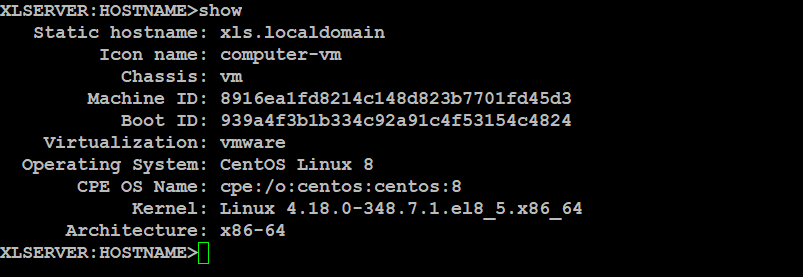
- Show current hostname:
show
- To set a new hostname, type the new hostname at the prompt and confirm with
YES.

- Return to the main menu with:
quit
Configure NTP
- Enter the
ntpmenu:
ntp help
XLSERVER:NTP>h
         help(h): to show this help
         quite(q): to back to previous screen
         show: display current NTP configuration
         setup(set): reconfigure NTP servers
         disable: disable ntp configuration
- Show current NTP configuration:
show
XLSERVER:NTP>show
Current NTP Servers (from /etc/chrony.conf):
server 216.239.35.0 iburst
server 216.239.35.4 iburst
server 216.239.35.8 iburst

NTP Synchronization Status (chronyc sources -v):

  .-- Source mode  '^' = server, '=' = peer, '#' = local clock.
 / .- Source state '*' = current best, '+' = combined, '-' = not combined,
| /             'x' = may be in error, '~' = too variable, '?' = unusable.
||                                                 .- xxxx [ yyyy ] +/- zzzz
||      Reachability register (octal) -.           |  xxxx = adjusted offset,
||      Log2(Polling interval) --.      |          |  yyyy = measured offset,
||                                \     |          |  zzzz = estimated error.
||                                 |    |           \
MS Name/IP address         Stratum Poll Reach LastRx Last sample
===============================================================================
^+ time.cloudflare.com           3   6    17     5   -675us[ -836us] +/-   12ms
^+ 2001:19f0:6801:7ed::123       2   6    17     6   -744us[ -905us] +/-   24ms
^- 2001:41d0:8:9233::1           2   6    17     6   -433us[ -594us] +/-   35ms
^* 2a01:e0a:431:b527::a123       1   6    17     5   +492us[ +331us] +/-   10ms
^? time1.google.com              0   7     0     -     +0ns[   +0ns] +/-    0ns
^? time2.google.com              0   7     0     -     +0ns[   +0ns] +/-    0ns
^? time3.google.com              0   7     0     -     +0ns[   +0ns] +/-    0ns
- To configure or reconfigure NTP servers:
setup
Follow the prompts to add NTP server addresses.
XLSERVER:NTP>set
NTP Server Setup - Enter 1 to 3 NTP servers
Press Enter without input to finish (minimum 1 server required)
Enter NTP server 1 [optional if > 1]: 216.239.35.0
Added: 216.239.35.0
Enter NTP server 2 [optional if > 1]:

Entered NTP servers:
1. 216.239.35.0
Do you want to save this NTP configuration? [NO]: YES
Configuring NTP servers...
server 216.239.35.0 iburst
NTP configuration saved and applied successfully.
Current NTP Servers (from /etc/chrony.conf):
server 216.239.35.0 iburst
- To disable NTP configuration:
disable
XLSERVER:NTP>disable
Disabling NTP...
Are you sure you want to disable NTP? [NO]: YES
NTP disabled successfully.
Current NTP Servers (from /etc/chrony.conf):
No NTP servers configured.
Configure Network
- Enter the
networkmenu:
network help
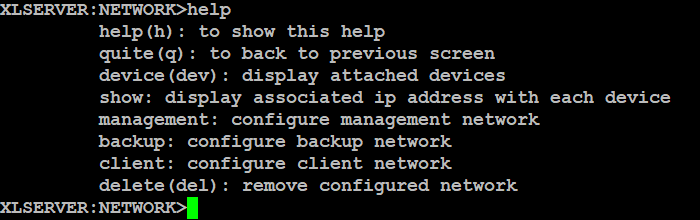
- Show available NICs on the appliance:
device

- Show current network configuration:
show

- At least one
MANAGEMENTnetwork is mandatory. - Optional:
BACKUPandCLIENTnetworks.
Configure MANAGEMENT Network
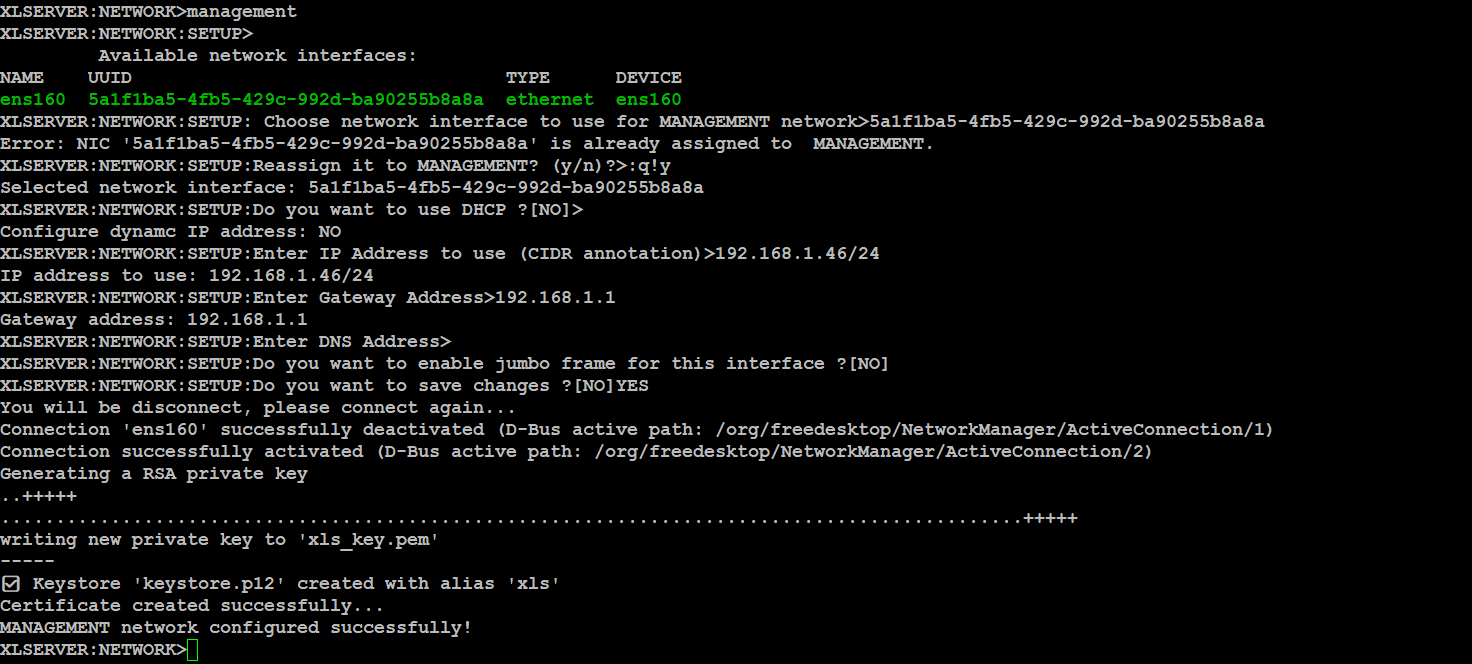
management
You will be prompted to provide:
- NIC UUID to use
- IP assignment (DHCP or Manual)
- CIDR IP (e.g.,
192.168.1.46/24) if manual - Gateway IP address
- DNS server
- Jumbo frame (enable/disable)
- Confirm with
YESto save changes
Configure BACKUP Network
backup
Steps are identical to MANAGEMENT configuration.
Configure CLIENT Network
client
Steps are identical to MANAGEMENT configuration.
Delete a Network Configuration
delete
Enter the network type to delete (MANAGEMENT, BACKUP, CLIENT).
Return to the main menu with:
quit
Service Management
- Enter the
servicemenu:
service help
- View service status:
status
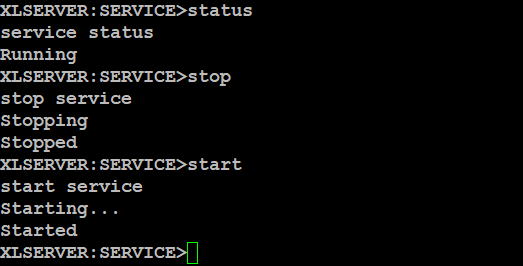
- Stop the service:
stop
- Start the service:
start
Change sysman Password
- Enter the password menu:
password
Prompt will display:
XLSERVER:PASSWORD>
- Enter the new password and confirm with
YES.
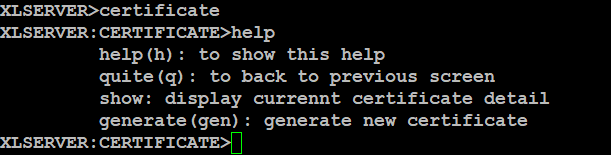
Certificate Management
- Enter the certificate menu:
certificate help
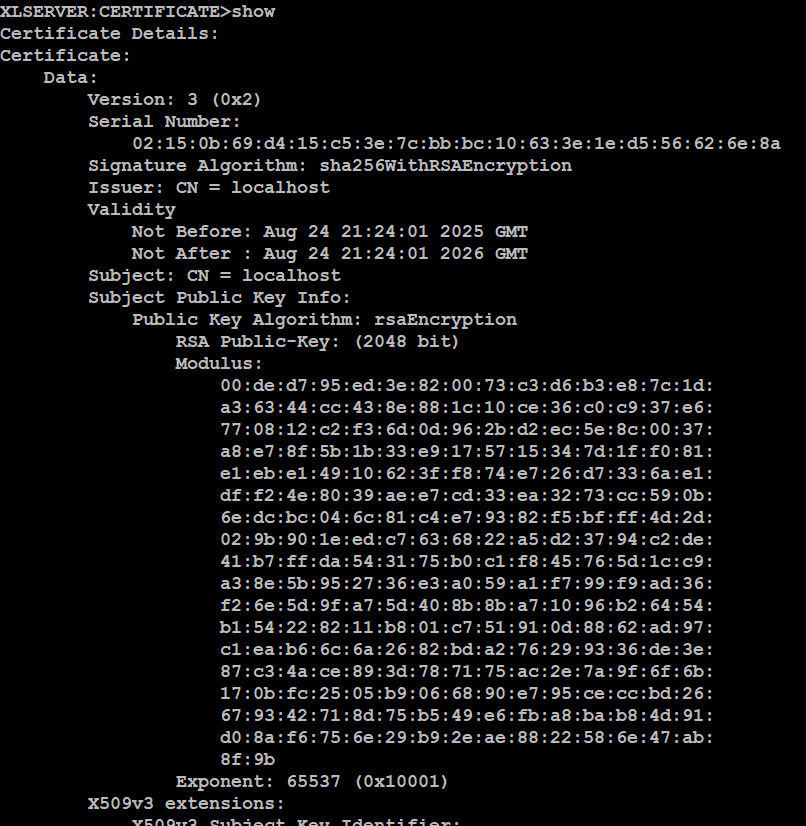
- Show current SSL certificate details:
show
- Generate a new self-signed certificate:
generate

Cleanup Command
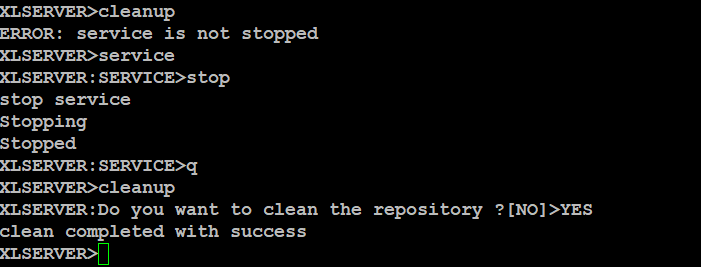
The cleanup command removes orphan objects in XLServer.
⚠️ Important: You must stop the XLServer service before running this command.
cleanup
Reset the Appliance
The reset command reinitializes XLServer to its factory state.
This empties the database repository of all user modifications.
⚠️ Important: You must stop the XLServer service before running this command.
reset
